
Workflow for a Drupal 11 Project
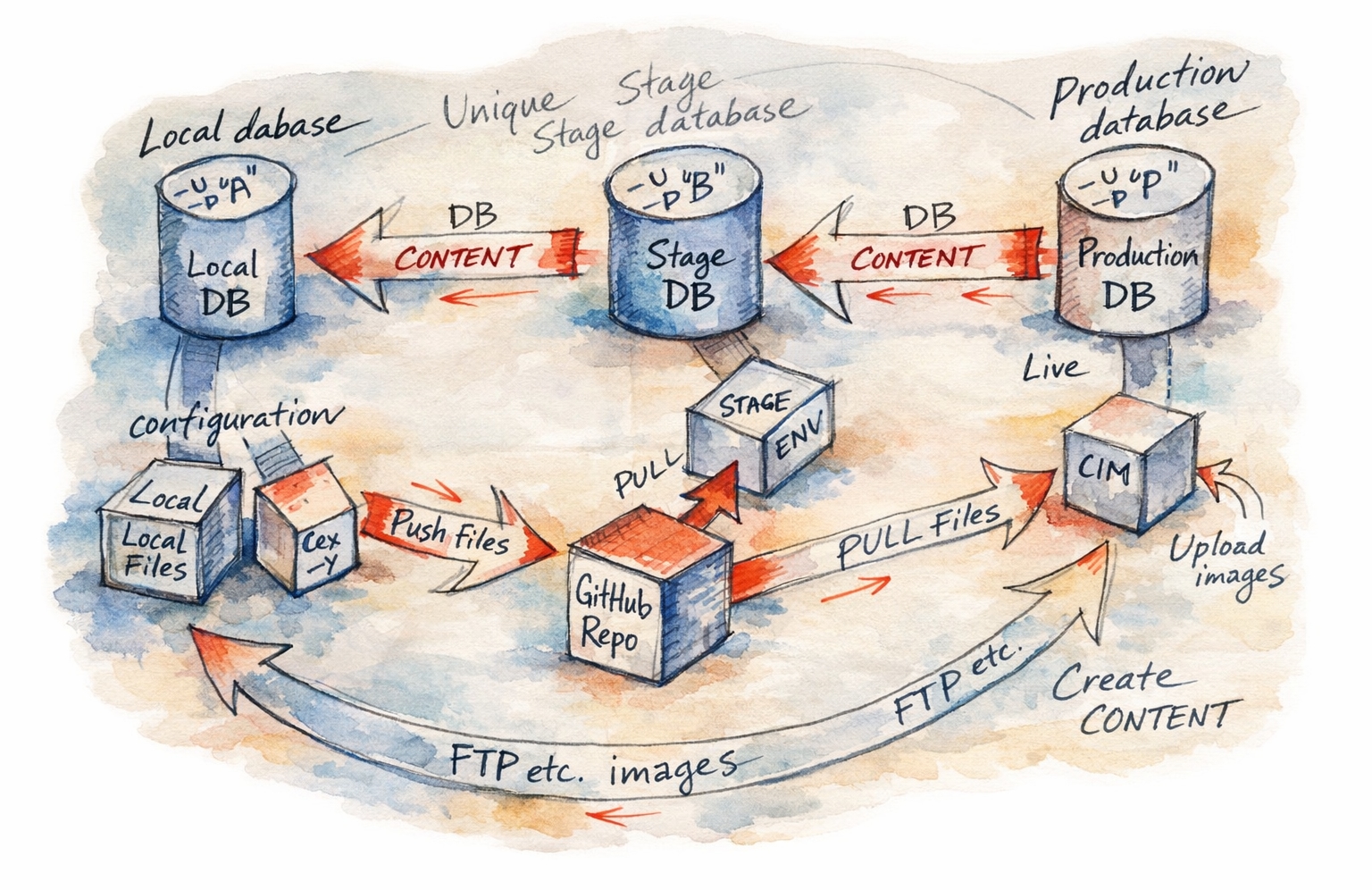
The most important concept to grasp in modern Drupal is that Code and Configuration move up (Local → Stage → Prod), while Content moves down (Local ← Prod).
1. Local Development
This is where you install modules, write code, and configure the site structure.
- Code/Dependencies: Use Composer to require modules or update core. composer require drupal/module_name
- Configuration: Make changes in the Drupal UI (e.g., add a content type, change site name).
- Export Configuration: This is crucial. Drupal stores config in the database by default. Export to YAML files to commit it to Git. drush config:export -y (or drush cex)
- Commit: Add the modified files to Git.
- Commit: composer.json, composer.lock, config/sync/*.yml, and custom themes/modules.
- Ignore: /vendor, web/core, and web/sites/default/files (user uploads).
2. Deployment to Stage/Production
When you deploy code to a server, you are essentially synchronizing the file system state with the database state.
Your deployment script (or manual process) should strictly follow this order:
- Get Code: Pull the latest changes from Git. git pull origin main
- Build Dependencies: Install the exact versions locked in your lock file. composer install --no-dev --optimize-autoloader
- Run Database Updates: Run any logic updates required by module maintainers. drush updatedb -y (or drush updb)
- Import Configuration: Overwrite the production active configuration (DB) with the new settings from your YAML files. drush config:import -y (or drush cim)
- Clear Cache: Ensure all changes are reflected. drush cache:rebuild (or drush cr)
NEVER change configuration (Views, Content Types, Field settings) directly on Production. If you do, the next time you run drush config:import from your Local work, your production changes will be wiped out. Production is for Content (Nodes) only.